

 Cart
CartProposal Kit Upgrades and Additions - April 2024
See what's new for April 2024
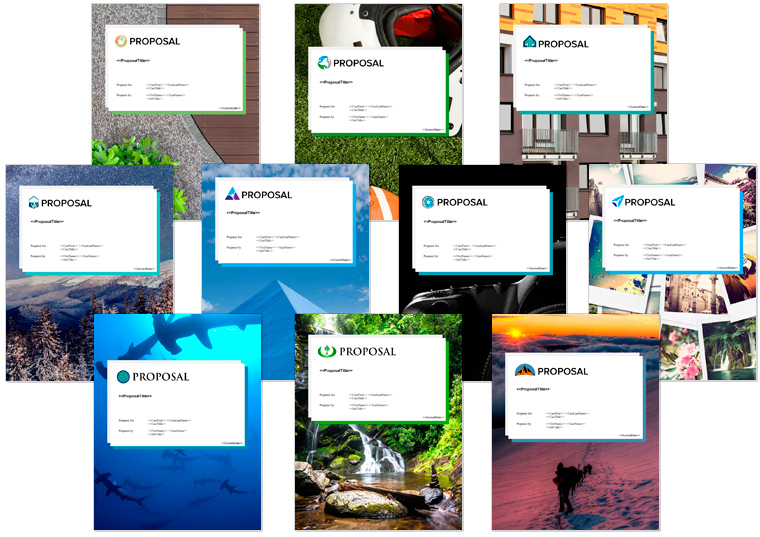

- The major addition to the new version of the Proposal Packs is the introduction of the line item quoting system added to the Proposal Pack Wizard V17 software that is bundled with the Proposal Packs.
- Changed all Twitter references to X.
- Upgraded the installers certificates to an EV level code signing certificate to work with Microsoft's recent security updates.
Proposal Pack V19
- Added 177 new proposal templates increasing the total number of templates to over 2200. Templates added: Business Case, Value Proposition, Doing Business with Us, Current Conditions, Outcomes, Desired Outcomes, Manufacturing Plan, Rendering, Imaging, Streaming, Lean Development, Decommissioning, Deregulation, Mission Planning, Dropshipping, Sponsorship, Disaster Recovery, International Response, Rapid Response, Autonomous Operation, Tracing, Defunding, Asset Allocation, Event Management, Contract Management, Task Management, Channel Management, Opposition Research, Monetization, Resettlement, Preproduction, Social Learning, Bioremediation, Physical Exam, Vetting Process, Fact Checking, Militarization, Therapy, Culture Change, Voice Control, Adaptive Learning, Knowledge Transfer, Technology Transfer, Augmentation, Synchronization, Resource Sharing, Crisis Management, Public Notices, Expert Opinion, STEM, Diagnosis, Historical Significance, Trending Technologies, Key Drivers, Use Cases, Performance Review, Eco-Footprint, Interagency, Directives, Terrain, Commercial Market, Consumer Market, Horizontal Integration, Vertical Integration, Trade, Fair Trade, Trade Agreements, Community Interests, Epidemic, Pandemic, Public Safety, Geopolitics, Ecological Impact, Propaganda, Press Coverage, Survivability, Performance Characteristics, Period of Performance, Distance Learning, Trials, Service Schedule, Site Safety, Adaptive Intelligence, Military Grade, Consumer Grade, Wholesale, Security Breach, Counterfeiting, Social Unrest, Conflicts of Interest, Hostilities, Health Issues, Business Dissolution, Cryptocurrency, Smart Home, Invasive Species, Power Systems, Servers, Spare Parts, Interface, User Interface, Consumables, Hub, Prosthetics, Refugees, Sphere of Control, Sphere of Influence, Your Rights, Environmental Protection, Disruptive Innovation, Disruptive Technology, Equity and Inclusion, Autonomy, DevSecOps, Home Care, Pest Control, Estate Planning, Space Commercialization, Space Exploration, Space Travel, Information Technology, Quantum Computing, Deep Learning, Augmented Reality, Mixed Reality, Blockchain, Metaverse, Digital Delivery, Biofabrication, Biomimicry, Biosecurity, Genetic Modification, Personal Care, Managed Care, Telemedicine, Advance Directives, Surgery, Retirement Planning, Grass Roots Movement, Gun Control, Human Augmentation, Bioengineering, Everything as a Service, Internet of Behaviors, Financial Services, Border Control, Technology Requirements, Payment Plan, Past Experience, Past Projects, Company Profile, My Story, Our Story, Managed Services, Trade Partners, Influencers, Volunteers, RACI Matrix, Consulted, Informed, Advisory Panel, Review Board, Key Personnel, Aim Statement, Guiding Principles, Our Promise, Codes, Phase 1, Phase 2, Phase 3, Phase 4, Phase 5, Phase 6, Phase 7, Phase 8, Phase 9, Phase 10
- Added 1 new calculator spreadsheet – Service Schedule Calculator.
- Updated Breakeven Analysis Calculator spreadsheet with line item breakdowns for the product costs.
- Updated 3 schedule templates to fix a mismatch between references end date columns in the matching Excel spreadsheet: Schedule, Install Schedule and Implementation Schedule.
- Changed font style for the <<Company>> tag in the Back Page to Proposal Kit Sub Header 1 to increase the font size.
- Added a page header logo offset field for the Wizard to be able to fine tune the positioning of the chapter header logo when the stock chapter graphics are converted to text versions.
Proposal Pack V18.4
- Added new <<SocialMedia#>> tags to the About Us, Company History, Contact Us, Company Information, Back Page, Back Page Generic and Social Media templates. The bundled Wizard software also adds support for the new social media tags.
Proposal Pack V18.3
- All 200 samples have been rebuilt. Most samples now use newer photo based Proposal Pack design themes. Some minor fixes were made to spelling and grammar errors in few samples.
Proposal Pack V18.2
- Bundled Novice Wizard software has been updated to latest version
- Updated the PageHeader_NOTEXT.png, Project_NOTEXT.png and Description_NOTEXT.png graphics to remove extra white space after the logo. This is to support a new Wizard software feature that will swap out graphic versions of page chapter headers and Title Page graphics with editable text but still retain the logo design theme graphic.
- Fixed a grammatical error in the instructional text in a couple templates (Contract and Terms, Terms and Conditions).
- Updated the text in the Sources of Funds template so the Wizard can detect and delete the red instructional text.
- Increased width of unit price and extended price and total columns in QuoteWerks alternate layout files to accommodate larger dollar amounts without wrapping.
Proposal Pack V18.1
- Updated all the cost related chapter templates to adjust the table sizes to look better when used with page borders.
- Left aligned header text in all the cost related chapters to make the tables display consistently with tables in other templates.
- All the photo designed Proposal Pack design themes have been updated to separate out individual photographs in the Title Page and Back Page as individual picture objects. This is coupled with a new feature in the Expert Edition of the Wizard software that allows you to have the Wizard swap out any or all of the stock design photographs with your own by just making a new image and saving it in the Wizard’s MyGraphics folder with the appropriate name.
- The Title Page, Back Page and Watermark-Body templates have been updated in every Proposal Pack to remove hidden legacy Word shape objects that could cause the ordering of some shapes to be out of place when using some Expert Edition features such as generating documents for use with QuoteWerks or using some of the Expert Edition custom branding features.
- The Title Page templates in all bundled Title Page Packs that come included with Proposal Pack and Proposal Kit Professional or that are purchased separately have also been updated to remove hidden legacy Word shape objects.
- The V18 conversion of all templates from legacy Word .doc formats to current Word .docx formats uncovered an obscure Word bug in the templates that caused the ZOrder variable to be invalid numbers in some cases. While this normally does not cause a problem, in some cases such as turning on Expert Edition features to import custom graphics or generate documents for use in 3rd-party systems the ZOrder bug could cause shape objects to change their ordering and go behind or in front of other shapes out of order. This update resets the ZOrder to correct values in all Title Page and Back Page templates. This only affected a small number of more complex Proposal Pack design themes however all of them have been updated.
- Word icons have been updated to match the latest updates from Microsoft.
- Alternate versions of cost table layout templates added for use with QuoteWerks.
- Minor updates to instructional text wording in some templates.
- Minor updates to URLs in the browser interface.
Proposal Pack V18
- All Word documents have been converted from the legacy Word 2003 .doc format to the current Word .docx format.
- All Excel spreadsheets have been converted from the legacy Excel 2003 .xls format to the current Excel .xlsx format.
- The Wizard software has been updated to remove all legacy Word 2003 support and now only works with the current Word and Excel file formats.

- Updated the Security System and Communication Proposal layout to display in the full list of layouts instead of the From Customer Support section.
- When importing a new Quick Start list is now unchecked if the project previously was associated with a sample proposal.
- Fixed an error message that would occur when a spacer line was added to an empty line item database. Spacer lines can now only be added if at least one line item row exists.
Proposal Pack Wizard V17.5
- Added View Image buttons to various screens that deal with images and logos in the Preferences and in the line item database for Image data types. This will show a preview of the image and details about the image.
- Changed the behavior of the Clear Form buttons in the line item database screens to always clear every field instead of reverting back to the values when the form was entered.
Proposal Pack Wizard V17.4
- Added the ability to insert spacer lines into the line item data rows. Spacer rows can use blank spaces or characters such as dashed lines and have colors applied. Use spacers to add additional breaks or groupings to your line item data rows.
- Added an Example database showing use of the new spacer lines and a new manual chapter for spacer lines.
- Added a Split Multi-Category Tables option to the line item database definitions to force each category on a template page to be put into its own Word table. By default, if all categories on a page have the same number of fields they will all be combined into a single Word table for all categories.
- Added more error checking and a retry count on all calls from the Wizard to Excel in case Excel does not respond to Word.
- More verbose messages are given if Word is unable to communicate with Excel.
- Added progress bars to the importing of zip files for the line item database customer support screen.
- Added selected project templates to customer support line item database extract zip file.
- Turned off Compile on Demand due to Word bug that can generate a 35010 error to reduce likelihood of error occurring.
- Fixed issue with importing line item data from another project using the same line item database not picking up the line items.
- Fixed issue with line item database global header fields causing extra blank lines being added to the end of the main line item table when multiple categories combined into a single table.
Proposal Pack Wizard V17.3
- Added a backup and restore database definition screen with features that help identify which previous backups may want to be restored. Automatic backups are made whenever the Wizard automatically clones in a component database and whenever the user enters the Edit Definition screen.
- Added ability to import custom premade lists into the DropDown list to speed up creation of custom lists. Premade lists are included for states, countries, races, ethnicities, genders and months. Also allows for customizing these premade lists and adding additional custom lists.
- Added ability to use the word BLANK as the default List data type value which will output an empty string to the documents.
- Added the component page databases to the list of external databases can be cloned from. Now they do not need to be loaded first to clone them into your database.
- Fixed Get More Suggestions button on Global Formatting screen wasn't loading additional formatting suggestions.
- Improved error checking descriptions when testing databases.
- Added testing of database definition and require an error free test before allowing creation of a custom template in the Quote Templates screen.
- Test List screen was returning one level to high. Now returns to add/edit screen.
- Hid the Test Function button when adding new functions as needs to be saved into db def for being able to run tests. Only visible when editing functions.
- Fixed issue with category specific images not being available for use as a default field image.
- Fixed issue with Dropdown data type if no item selected was defaulting to the 1st item on the list.
- Added more manual chapters to the line item database manual.
Proposal Pack Wizard V17.2
- Added a new feature to the Quote Templates screen in the Preferences. This allows you to have the Wizard build a more custom-tailored custom template in the MyTemplates folder by selecting which fields to output and the order of fields. This makes for faster creation of customized Word tables.
- Added options on all Pick Documents screens and the Manage Templates screen in the Edit Styles to only show line item database enabled templates to help identify which templates are premade ready to use with the line item database system.
- Added hidden weight fields to all product cost related built-in and component databases to help determine shipping charges. Hidden fields can be enabled for output or by adding tags to custom Word templates.
- Set the Price and Rate field widths to 60 to make more room for the Description field in the cost related line item databases.
- Added additional fields to most schedule related built-in and component databases so that all schedule related databases calculate days, weeks, months, and years to completion fields. User can then determine which one(s) to display in their output.
- Added table borders to built-in custom component line item database templates that were missing in some schedule related files.
- Fixed an issue where the default line item database was not being automatically set as the project database when a new project was created and the option to auto-assign the default database to new projects was enabled.
- Added more chapters to the line item database manual.
- When a database is disabled, it is immediately removed from the drop down list of available databases.
- If the default line item database is disabled it is also cleared from being the default database.
- Added the database quote code onto a couple Preferences screens.
Proposal Pack Wizard V17.1
- Fixed database count to not count disabled databases in project screen.
- Added video library links to the line-item database project and Preferences screens.
- Added links to line-item database video library to manuals.
- Fixed Line Item Quote button in the Preferences not being visible depending on the Activation Code used.
Proposal Pack Wizard V17.0
- Added a line item database system for quotes, schedules, business plan financials, etc. The new line item database system works for both Novice and Expert Edition users. Novice Edition users can use any of the premade quote and Sample Proposal databases as-is. Expert Edition users can customize any premade databases and create custom databases.
- A new PDF manual has been added for the line item database system.
- All the included Sample Proposals that used to use Excel spreadsheets for quotes, schedules and business plan information have been converted to use the new line item database system. Importing any of these Sample Proposals will let you use that Sample Proposal's custom line item database for your own projects. Expert Edition users can customize these databases.
- The Wizard and the installers have been upgraded to new EV code signing certificates for enhanced Windows security.
- Permission errors are captured better with an option to retry once the user closes the file that was trying to be deleted.
- Changed all Twitter references to X in the Social Media tags.
- The Excel spreadsheet linking feature is now disabled by default as the new line item database system takes precedent. The Excel linking feature can be turned on in the Preferences and used along with the new line item database system. Note that the new line item database system has features that allow for pulling in cell data from an Excel spreadsheet into the line item database which may be more useful.
- Removed the legacy static Table of Contents creation option.
- Turning on QuoteWerks document creation features will temporarily turn off the new line item quoting system. The line item system will be turned back on when QuoteWerks creation is turned off.
- The 32-bit QuoteWerks direct connection API has been removed. QuoteWerks support is still included and works as it always has. The direct connection feature was a time saving option and since QuoteWerks never released a 64-bit API the direct connection option has been removed as Word is primarily installed in the 64-bit version now.
- The project database import/export feature has been removed.
- The Word Insert Bug screens have been removed after Microsoft fixed their bug.
- Minor bug fixes and enhancements.
Proposal Pack Wizard V16.6
- Expanded the capabilities of the Excel spreadsheet linking tags to allow multiple columns within a tag in the format <<RS#-#C#,#,#>>. Up to 2 additional columns can be included in the tag when the tag is an RS tag (which causes each new row to expand into a new table row). This puts all the columns within the same cell with delimiters that can be defined in the Preferences.
- Added 2 new articles to the Read How-to Articles screen on the topics of using ChatGPT and Chat AI bots to aid in proposal writing.
- Updated messages when the Word Insert Bug occurs that the bug has been patched by Microsoft and requires updating Word to the most recent version.
- Added additional Word Insert Bug workaround code when using the MyTemplates folder files.
Proposal Pack Wizard V16.5
- 9 new Quick Start import lists added (700 total).
- Added a new post processing tool to the Edit screen list of tools to run the data merge and Excel spreadsheet linking operation. This allows you to easily link new or existing spreadsheets cells into an existing document during the editing process. Any data tags in the document will also be merged if the data is filled in the project screens.
- Extended the Excel spreadsheet dynamic linking feature to work with custom templates and spreadsheets in the MyTemplates and MyProjectFiles folders.
- Added a new workaround option for the Word Insert Bug. There is a new post processing tool in the edit documents and Preferences batch processing screens that will run a conversion process on a folder of Proposal Kit library templates. This conversion process recreates each file in a way that stops Word from crashing when assembling them using the standard Word InsertFile API function that is currently bugged in Microsoft Office.
- Added another workaround option for the Word Insert Bug that will rebuild all templates in the Proposal Kit template library and turn off the Word Insert Bug workaround. This is another option to get the Wizard working normally until Microsoft fixes their InsertFile API functionality.
- Added extra check to installers to provide a more descriptive message if users computer does not associate the .docx file extension with Microsoft Word.
- Added time to completion estimates to the document building progress bars.
- Option to skip watching the tutorials and the training mode when running the Wizard for the first time.
- Added startup checks to ensure file naming conventions and formats are correct on any custom files in the MyTemplates and MyProjectFiles folders.
- Added removal of custom files copied from the MyTemplates and MyProjectFiles folders when using the Delete Old Files button.
Proposal Pack Wizard V16.4
- Added two workaround options for a bug Microsoft introduced in their August 3, 2022 build that causes their InsertFile function to fail when assembling documents which causes an error message in the Wizard during document assembly. The Wizard will automatically detect the error and switch to one of the work arounds. A popup screen reminder will be displayed when the Wizard is run that the workaround is in use with instructions on how the workaround operates and how to rollback Office 365 to a working build. See this page for details: How to RollBack Office 365 to a Working Build
- Fixed an issue with the post processing batch tool for changing the text in the footers to a different style.
- Fixed an issue with the auto-adding of the Multiple Choice Database mail merge tag into the selected template where it would not always insert the tag.
- When upgrading from the Novice to Expert edition the Wizard will automatically be put into Expert Mode when the serial number is changed.
Proposal Pack Wizard V16.3
- Added a new feature that allows for copying of custom files that are not part of the Proposal Kit system into each new project folder. This is called the MyProjectFiles folder and can be setup using a new Preferences screen.
- Added new manual chapter How do I use the MyProjectFiles folder?
- Outlook integration is now enabled in both 32-bit and 64-bit editions of Word.
- Removal of the SalesForce API allowed for removal of the 2nd copy of the Wizard meant for S Mode use.
- SalesForce API integration has been removed.
Proposal Pack Wizard V16.2
- 1 new Quick Start import list added (691 total).
- On the Edit Current Document screen if there is only one file present in the screens it will be preselected.
- The QuoteWerks integration has been enabled for use in the 64-bit Wizard however the direct API connection features still require using the 32-it edition of Word. Most features will now work in the 64-bit edition.
- Fixed an issue with the new custom positioning of the Title Page’s stock logo graphic when converting from graphic to text chapter headers.
- Fixed an issue with stock logo being left aligned to page instead of margin when converting from graphic to text chapter headers.
- Fixed an issue with the Grant Proposal Type database missing templates.
- Fixed error message in conversion of documents into QuoteWerks compatible formats when international translations were turned on.
Proposal Pack Wizard V16.1
- Added the ability to create custom color schemes.
- When creating custom templates Wizard will ask if you want to put a shared copy in the MyTemplates folder to share between design themes.
- When cloning a Proposal Pack design theme Wizard will now ask if you want it set to be the default design theme instead of having to manually select it.
- Added option to turn off setting of the document zoom size and other zoom related page view settings when opening documents. Zoom settings are also not applied anymore to documents opened temporarily in the background and any zoom setting related error messages are now suppressed.
- The Edit Stock Template button will ask to open the shared MyTemplates folder copy if one exists instead of the stock template in the Pick Documents screen.
- Changed tab sequence on the Company Data screen to be top down.
- Cleaned up some unnecessary messages and added some extra tests to the document build process.
- Design themes that use white header text will use a white color for the title page replacement text when replacing graphic headers with text.
- Fixed an issue with the auto-copy of a template to the MyTemplates folder always adding a Multiple Choice tag if the Multiple Choice database is in use. Tag will now only be added if the template is attached to the tag and one or more paragraphs are associated with the tag.
Proposal Pack Wizard V16.0
- Added support for the new Proposal Pack V19 and Proposal Kit Professional V22 products. 177 new chapter templates have been added and are now available in the Wizard.
- Added 19 more business situations to the Add Templates tab to accommodate the new chapter templates.
- 1 new Quick Start import list added (690 total).
- Streamlined the Wizard home screen interface by removing the Create Document button which is a redundant button. The project screen now includes a 2nd button to save the project without building the project documents and instead of asking to build the documents when the original Ok, Save Project button was clicked that button now automatically builds the project documents.
- The Team Editing feature is now automatically turned on by default in the Expert Edition.
- The Team Editing screen now can change the order of chapters and remove chapters when the main project document is rebuilt without having to go back to the project screen to edit the chapter layout.
- If multiple monitors are detected during startup the Wizard will ask if you want to turn on Multi-Monitor mode and will do so without having to turn it on in the Preferences. The Wizard will only ask this question once.
- Updated the post-processing tool for converting chapter headers and the Edit Styles option to automatically convert graphic chapter headers to text so they reposition the chapter headers more in line with how the original logos were positioned vertically relative to the chapter header text. This eliminates the need to manually reposition chapter headers to make them appear more visually appealing in many design themes.
- Updated the post-processing tool for converting chapter headers so it also converts the Title Page’s Proposal graphic and repositions that graphic as well to be more visually appealing.
- Updated the conversion of the Title Page graphic to text to read the resolution of the image in case it is in a non-standard DPI which would previously cause the graphic to be repositioned incorrectly.
- Fixed a couple post-processing tools so if the setup screen for the tool was canceled it wouldn’t continue to perform that operation.

- The major addition to the new version of the Proposal Kit Professional is the introduction of the line item quoting system added to the Proposal Pack Wizard V17 software that is bundled with the Proposal Kit Professional. See the Wizard documentation for details.
- Changed all Twitter references to X.
- Upgraded the installers certificates to an EV level code signing certificate to work with Microsoft’s recent security updates.
Proposal Kit Professional V22
- Added 177 new proposal templates increasing the total number of templates to over 2200. Templates added: Business Case, Value Proposition, Doing Business with Us, Current Conditions, Outcomes, Desired Outcomes, Manufacturing Plan, Rendering, Imaging, Streaming, Lean Development, Decommissioning, Deregulation, Mission Planning, Dropshipping, Sponsorship, Disaster Recovery, International Response, Rapid Response, Autonomous Operation, Tracing, Defunding, Asset Allocation, Event Management, Contract Management, Task Management, Channel Management, Opposition Research, Monetization, Resettlement, Preproduction, Social Learning, Bioremediation, Physical Exam, Vetting Process, Fact Checking, Militarization, Therapy, Culture Change, Voice Control, Adaptive Learning, Knowledge Transfer, Technology Transfer, Augmentation, Synchronization, Resource Sharing, Crisis Management, Public Notices, Expert Opinion, STEM, Diagnosis, Historical Significance, Trending Technologies, Key Drivers, Use Cases, Performance Review, Eco-Footprint, Interagency, Directives, Terrain, Commercial Market, Consumer Market, Horizontal Integration, Vertical Integration, Trade, Fair Trade, Trade Agreements, Community Interests, Epidemic, Pandemic, Public Safety, Geopolitics, Ecological Impact, Propaganda, Press Coverage, Survivability, Performance Characteristics, Period of Performance, Distance Learning, Trials, Service Schedule, Site Safety, Adaptive Intelligence, Military Grade, Consumer Grade, Wholesale, Security Breach, Counterfeiting, Social Unrest, Conflicts of Interest, Hostilities, Health Issues, Business Dissolution, Cryptocurrency, Smart Home, Invasive Species, Power Systems, Servers, Spare Parts, Interface, User Interface, Consumables, Hub, Prosthetics, Refugees, Sphere of Control, Sphere of Influence, Your Rights, Environmental Protection, Disruptive Innovation, Disruptive Technology, Equity and Inclusion, Autonomy, DevSecOps, Home Care, Pest Control, Estate Planning, Space Commercialization, Space Exploration, Space Travel, Information Technology, Quantum Computing, Deep Learning, Augmented Reality, Mixed Reality, Blockchain, Metaverse, Digital Delivery, Biofabrication, Biomimicry, Biosecurity, Genetic Modification, Personal Care, Managed Care, Telemedicine, Advance Directives, Surgery, Retirement Planning, Grass Roots Movement, Gun Control, Human Augmentation, Bioengineering, Everything as a Service, Internet of Behaviors, Financial Services, Border Control, Technology Requirements, Payment Plan, Past Experience, Past Projects, Company Profile, My Story, Our Story, Managed Services, Trade Partners, Influencers, Volunteers, RACI Matrix, Consulted, Informed, Advisory Panel, Review Board, Key Personnel, Aim Statement, Guiding Principles, Our Promise, Codes, Phase 1, Phase 2, Phase 3, Phase 4, Phase 5, Phase 6, Phase 7, Phase 8, Phase 9, Phase 10
- Added 1 new calculator spreadsheet – Service Schedule Calculator.
- Updated Breakeven Analysis Calculator spreadsheet with line item breakdowns for the product costs.
- Updated 3 schedule templates to fix a mismatch between references end date columns in the matching Excel spreadsheet: Schedule, Install Schedule and Implementation Schedule.
- Changed font style for the <<Company>> tag in the Back Page to Proposal Kit Sub Header 1 to increase the font size.
- Added a page header logo offset field for the Wizard to be able to fine tune the positioning of the chapter header logo when the stock chapter graphics are converted to text versions.
Estimate Pack
- Added a Service Schedule Calculator spreadsheet.
- Added line item breakdowns for costs in the Breakeven Analysis Calculator spreadsheet.
Proposal Kit Professional V21.5
- Added new <<SocialMedia#>> tags to the About Us, Company History, Contact Us, Company Information, Back Page, Back Page Generic and Social Media templates. The bundled Wizard software also adds support for the new social media tags.
Proposal Kit Professional V21.4
- All 200 samples have been rebuilt. Most samples now use newer photo based Proposal Pack design themes. Some minor fixes were made to spelling and grammar errors in few samples.
Proposal Kit Professional V21.3
- The line art Global #1 design theme has been replaced with the photo design Global #4.
- The line art Classic #1 design theme has been replaced with the photo design Classic #18.
Proposal Kit Professional V21.2
- Bundled Expert Wizard software has been updated
- Word icons have been updated to match the latest updates from Microsoft.
Proposal Pack V18.4
- Added new <<SocialMedia#>> tags to the About Us, Company History, Contact Us, Company Information, Back Page, Back Page Generic and Social Media templates. The bundled Wizard software also adds support for the new social media tags.
Proposal Pack V18.3
- All 200 samples have been rebuilt. Most samples now use newer photo based Proposal Pack design themes. Some minor fixes were made to spelling and grammar errors in few samples.
Proposal Pack V18.2
- Updated the PageHeader_NOTEXT.png, Project_NOTEXT.png and Description_NOTEXT.png graphics to remove extra white space after the logo. This is to support a new Wizard software feature that will swap out graphic versions of page chapter headers and Title Page graphics with editable text but still retain the logo design theme graphic.
- Fixed a grammatical error in the instructional text in a couple templates (Contract and Terms, Terms and Conditions).
- Updated the text in the Sources of Funds template so the Wizard can detect and delete the red instructional text.
- Increased width of unit price and extended price and total columns in QuoteWerks alternate layout files to accommodate larger dollar amounts without wrapping.
Proposal Pack V18.1
- Updated all the cost related chapter templates to adjust the table sizes to look better when used with page borders.
- Left aligned header text in all the cost related chapters to make the tables display consistently with tables in other templates.
- All the photo designed Proposal Pack design themes have been updated to separate out individual photographs in the Title Page and Back Page as individual picture objects. This is coupled with a new feature in the Expert Edition of the Wizard software that allows you to have the Wizard swap out any or all of the stock design photographs with your own by just making a new image and saving it in the Wizard’s MyGraphics folder with the appropriate name.
- The Title Page, Back Page and Watermark-Body templates have been updated in every Proposal Pack to remove hidden legacy Word shape objects that could cause the ordering of some shapes to be out of place when using some Expert Edition features such as generating documents for use with QuoteWerks or using some of the Expert Edition custom branding features.
- The Title Page templates in all bundled Title Page Packs that come included with Proposal Pack and Proposal Kit Professional or that are purchased separately have also been updated to remove hidden legacy Word shape objects.
- The V18 conversion of all templates from legacy Word .doc formats to current Word .docx formats uncovered an obscure Word bug in the templates that caused the ZOrder variable to be invalid numbers in some cases. While this normally does not cause a problem, in some cases such as turning on Expert Edition features to import custom graphics or generate documents for use in 3rd-party systems the ZOrder bug could cause shape objects to change their ordering and go behind or in front of other shapes out of order. This update resets the ZOrder to correct values in all Title Page and Back Page templates. This only affected a small number of more complex Proposal Pack design themes however all of them have been updated.
- Word icons have been updated to match the latest updates from Microsoft.
- Alternate versions of cost table layout templates added for use with QuoteWerks.
- Minor updates to instructional text wording in some templates.
- Minor updates to URLs in the browser interface.
Title Page Pack
- The Title Page templates in all bundled Title Page Packs that come included with Proposal Pack and Proposal Kit Professional or that are purchased separately have also been updated to remove hidden legacy Word shape objects.
Estimate Pack
- All Word documents have been reformatted to be in the same format with the same Word Styles as all Proposal Pack documents. This allows files in the Estimate Pack to now be used within the Proposal Pack Wizard software.
- Updated Office icons to match Microsoft’s latest updates.
- Interface updates to direct to new online help pages.
Project Management Pack
- All Word documents have been reformatted to be in the same format with the same Word Styles as all Proposal Pack documents. This allows files in the Project Management Pack to now be used within the Proposal Pack Wizard software.
- Updated Office icons to match Microsoft’s latest updates.
- Interface updates to direct to new online help pages.
- Outdated content not directly related to Word documents and Excel spreadsheets has been removed (old article pages, Visio and Concept draw diagrams and sample web site design layouts).

- The major addition to the new version of the Contract Packs is the introduction of the line item quoting system added to the Proposal Pack Wizard V17 software that is bundled with the Contract Packs.
- Changed all Twitter references to X.
- Upgraded the installers certificates to an EV level code signing certificate to work with Microsoft’s recent security updates.
Contract Pack V18.0
- Bundled Novice Wizard software has been updated to version 16
- All Word documents have been converted from the legacy Word 2003 .doc format to the current Word .docx format.
- All Excel spreadsheets have been converted from the legacy Excel 2003 .xls format to the current Excel .xlsx format.
- The Wizard software has been updated to remove all legacy Word 2003 support and now only works with the current Word and Excel file formats.
- The major addition to the new version of the Contract Packs is the introduction of the line item quoting system added to the Proposal Pack Wizard V17 software that is bundled with the Contract Packs.
- Changed all Twitter references to X.
- Upgraded the installers certificates to an EV level code signing certificate to work with Microsoft’s recent security updates.
Contract Pack V18.0
- Bundled Novice Wizard software has been updated to version 16
- All Word documents have been converted from the legacy Word 2003 .doc format to the current Word .docx format.
- All Excel spreadsheets have been converted from the legacy Excel 2003 .xls format to the current Excel .xlsx format.
- The Wizard software has been updated to remove all legacy Word 2003 support and now only works with the current Word and Excel file formats.
- The major addition to the new version of the Contract Packs is the introduction of the line item quoting system added to the Proposal Pack Wizard V17 software that is bundled with the Contract Packs.
- Changed all Twitter references to X.
- Upgraded the installers certificates to an EV level code signing certificate to work with Microsoft’s recent security updates.
Contract Pack V18.0
- Bundled Novice Wizard software has been updated to version 16
- All Word documents have been converted from the legacy Word 2003 .doc format to the current Word .docx format.
- All Excel spreadsheets have been converted from the legacy Excel 2003 .xls format to the current Excel .xlsx format.
- The Wizard software has been updated to remove all legacy Word 2003 support and now only works with the current Word and Excel file formats.
- The major addition to the new version of the Contract Packs is the introduction of the line item quoting system added to the Proposal Pack Wizard V17 software that is bundled with the Contract Packs.
- Changed all Twitter references to X.
- Upgraded the installers certificates to an EV level code signing certificate to work with Microsoft’s recent security updates.
Contract Pack V18.0
- Bundled Novice Wizard software has been updated to version 16
- All Word documents have been converted from the legacy Word 2003 .doc format to the current Word .docx format.
- All Excel spreadsheets have been converted from the legacy Excel 2003 .xls format to the current Excel .xlsx format.
- The Wizard software has been updated to remove all legacy Word 2003 support and now only works with the current Word and Excel file formats.
- The major addition to the new version of the Contract Packs is the introduction of the line item quoting system added to the Proposal Pack Wizard V17 software that is bundled with the Contract Packs.
- Changed all Twitter references to X.
- Upgraded the installers certificates to an EV level code signing certificate to work with Microsoft’s recent security updates.
Contract Pack V18.0
- Bundled Novice Wizard software has been updated to version 16
- All Word documents have been converted from the legacy Word 2003 .doc format to the current Word .docx format.
- All Excel spreadsheets have been converted from the legacy Excel 2003 .xls format to the current Excel .xlsx format.
- The Wizard software has been updated to remove all legacy Word 2003 support and now only works with the current Word and Excel file formats.
- The major addition to the new version of the Contract Packs is the introduction of the line item quoting system added to the Proposal Pack Wizard V17 software that is bundled with the Contract Packs.
- Changed all Twitter references to X.
- Upgraded the installers certificates to an EV level code signing certificate to work with Microsoft’s recent security updates.
Contract Pack V18.0
- Bundled Novice Wizard software has been updated to version 16
- All Word documents have been converted from the legacy Word 2003 .doc format to the current Word .docx format.
- All Excel spreadsheets have been converted from the legacy Excel 2003 .xls format to the current Excel .xlsx format.
- The Wizard software has been updated to remove all legacy Word 2003 support and now only works with the current Word and Excel file formats.
 Facebook
 YouTube
 X
X Search Site
© 1997 - 2024, Proposal Kit, Inc. All rights reserved. Privacy Policy.

© 1997 - 2024, Proposal Kit, Inc. All rights reserved. Privacy Policy